
ACEScct Powergrade
V1.0 Powergrade

INTRODUCTION
After hours in Resolve, creating simple node trees without real structure, I came across Darren Mostyn’s video on YouTube, explaining the importance and effectiveness of a Node Tree structure while color grading.
While at first just copying it, I started implementing different steps into it, combining them into compound nodes, with a look node, a subtractive saturation compound node as well as the grading compound node.
ACES COLOR
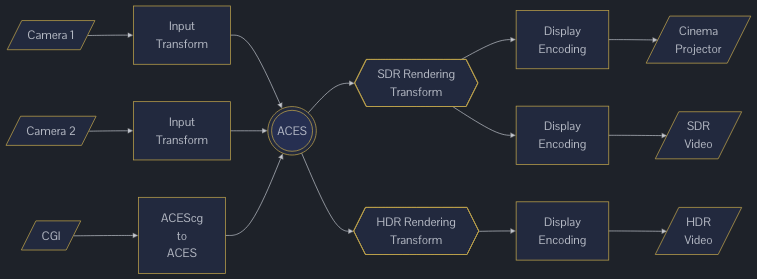
The Academy Color Encoding Society has created a uniform color encoding system, to ensure consistency across the whole production of films. Instead of having to use 3d LUT’s and intermediate color spaces, specific to certain softwares, ACES is available and consistent throughout monitors, editing, VFX and color grading.
With a simple click, you can readjust the look for the display or monitor being used, while the base color space remains the same. With open-source implementation, even adding different cameras is easily doable with the necessary information available on ACESCentral main home page as well as their documentation.
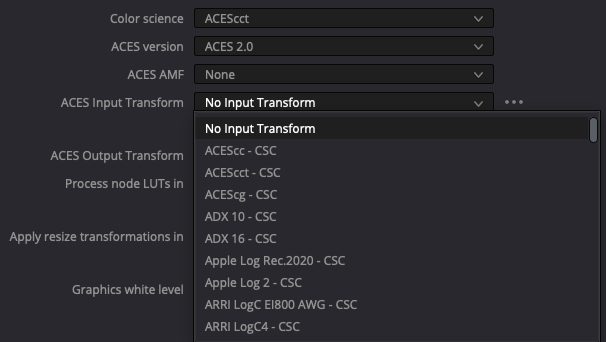
This simplification of the color space encoding makes the creation of a power grade for Resolve very easy as well. Instead of needing to transform the camera color space to an intermediate in the node tree, ACES does that in the settings, and in the case of a camera RAW file, automatically adjusts the color space to ACES
But, ACES ≠ ACES. WHat that means is that there are different variations of ACES to be used in the different implementations.
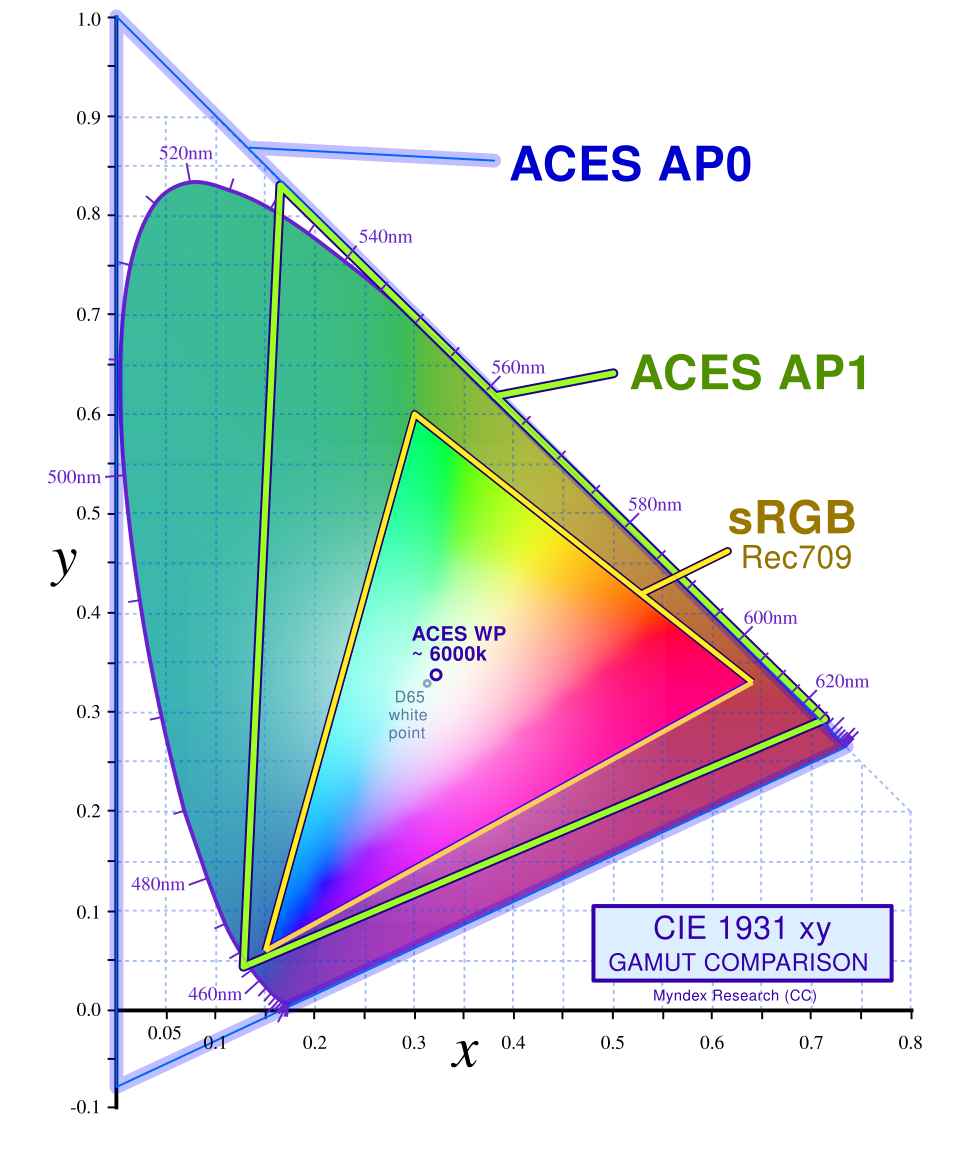
As seen on figure 1 above, VFX or CGI might use ACEScg, while color graders would rather use ACEScct. Yet, the main project will be encoded into ACES AP0, a linear color space, also referred to as ACES2065-1. Using ACEScg and ACEScct however, allows for the tools inside the main softwares to be used with a log curve, instead of a straight linear curve. Adjusting those settings will slightly reduce the color space worked in from AP0 to AP1, but still assuring a wide range of changes being made possible inside of it. Figure 2 and 3 below give a visual indication as well as choice of settings to be used.
THE POWER GRADE
Finally, here is the power grade with the download link down below.
I decied to create two different ones, one with an Input Device Transform (IDT), using Resolve’s ACES transform OFX. This is to be used in case you want to keep your project in ACES 2.0, but need to revert to cameras not easily accessible in that new version (i.e. SLog-2 or Arri LogC3).
The second one then is to be used in any other use case scenario.
I highly encourage each one of you to use and adjust these power grades to your needs and likings and I am open for adjustment ideas too.
